TL;DR
I built Film Recipe Base, a free web app that collects, cleans, and organises Fujifilm film recipes from across the internet into one searchable, filterable database. Along the way, I used data scraping, feature engineering, K-Means clustering, and Plotly visualisations, all wrapped inside a Dash web app and deployed with Docker on Railway. You can try it at filmrecipebase.com.
Who should read this?
Fujifilm photographers who want an easier way to discover and compare film recipes, data analysts and data scientists curious about a real-world feature engineering and clustering project, and aspiring developers who want to see what it takes to go from a personal script to a deployed web app.
What is Film Recipe Base?
If you shoot Fujifilm, you have probably come across film simulation recipes: custom camera settings that mimic a certain film stock or aesthetic. The community around these recipes is generous, with photographers sharing their exact settings on blogs and social media for free. The problem is that these recipes are scattered across many different websites, with no easy way to compare them or find what you are actually looking for.
Film Recipe Base is my attempt to fix that. It is a web app that pulls recipes from multiple sources into one place, lets you filter and explore them by mood, colour, grain, and genre, and helps you find recipes similar to the ones you already like. It is free, does not need an account, and is not an AI tool that generates recipes. It is simply a well organised, well visualised database.
Explore: Filter Fujifilm Recipes by Mood, Colour and Grain
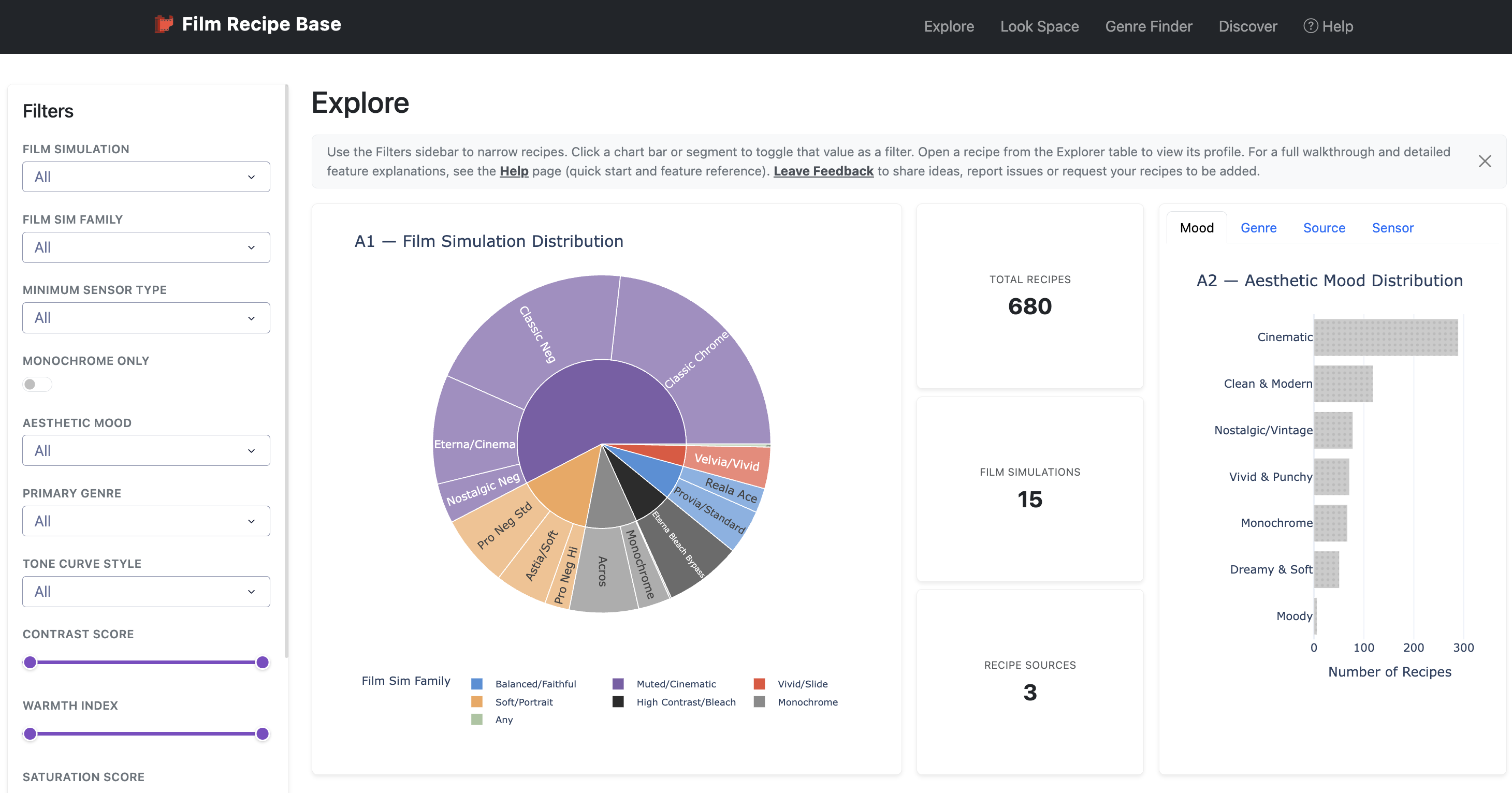
The Explore page is the main dashboard for browsing the entire Fujifilm film recipe database. A filter sidebar lets you narrow recipes by film simulation, film sim family, aesthetic mood, primary photography genre, contrast, warmth, saturation, and grain category, so you can search for something specific, like a warm, low-contrast recipe with fine grain, in seconds. Overview charts show how recipes are distributed across simulations, moods, genres, and sources, and clicking any bar or chart segment instantly applies that value as a filter across the whole app.
Compare: Put Two Film Simulation Recipes Side by Side
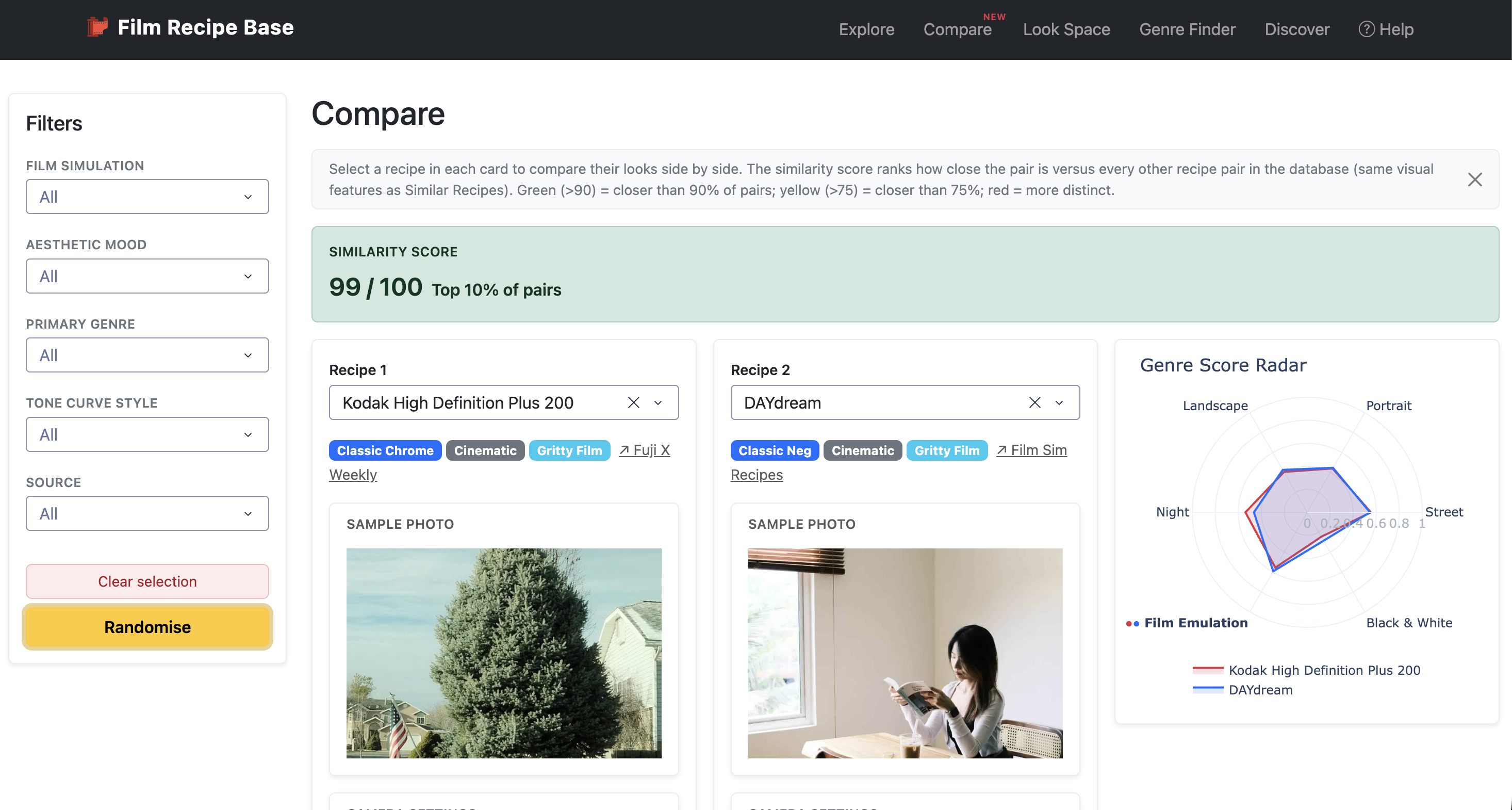
The Compare page answers a question every Fujifilm shooter asks eventually: how different are these two recipes really? Pick any two recipes from the dropdowns to see their film simulation, mood, and look cluster badges, sample photos, and full camera settings side by side. A similarity score from 0 to 100 ranks the pair against every other pair in the database, colour coded green, yellow, or red, so you can quickly tell whether two recipes will give you a near-identical look or a genuinely different one.
Look Space: Explore Film Recipes Visually by Feel
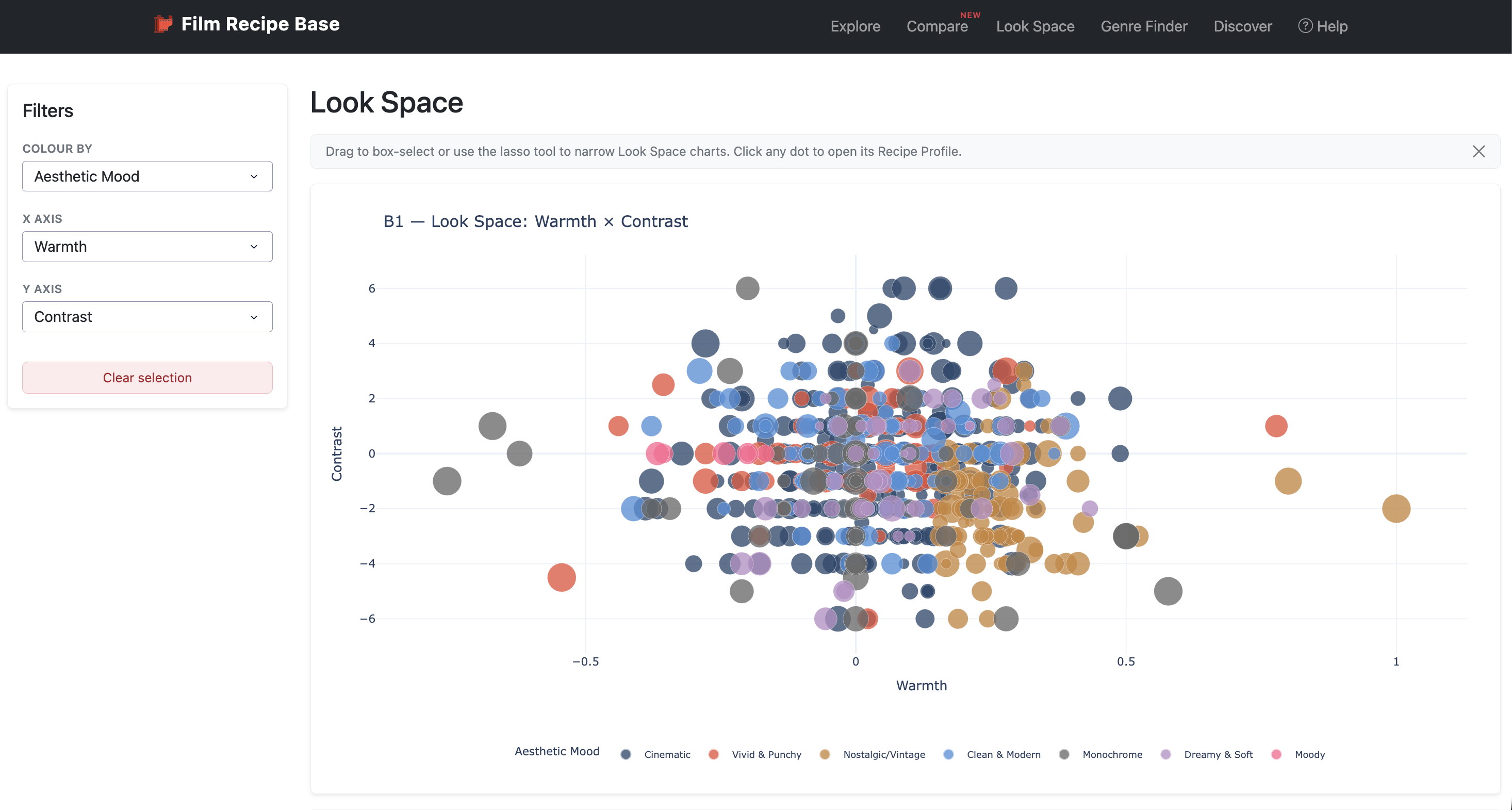
Look Space is built for photographers who think in looks rather than lists of settings. Every recipe appears as a dot on a scatter map, plotted by attributes such as warmth, contrast, saturation, film flatness, and grain, so you can browse visually instead of scrolling through names. Lasso or box select any area of the map to narrow in on a specific aesthetic, and click any dot to jump straight into that recipe's full profile.
Genre Finder: Find the Best Fujifilm Recipe for Your Photography Style
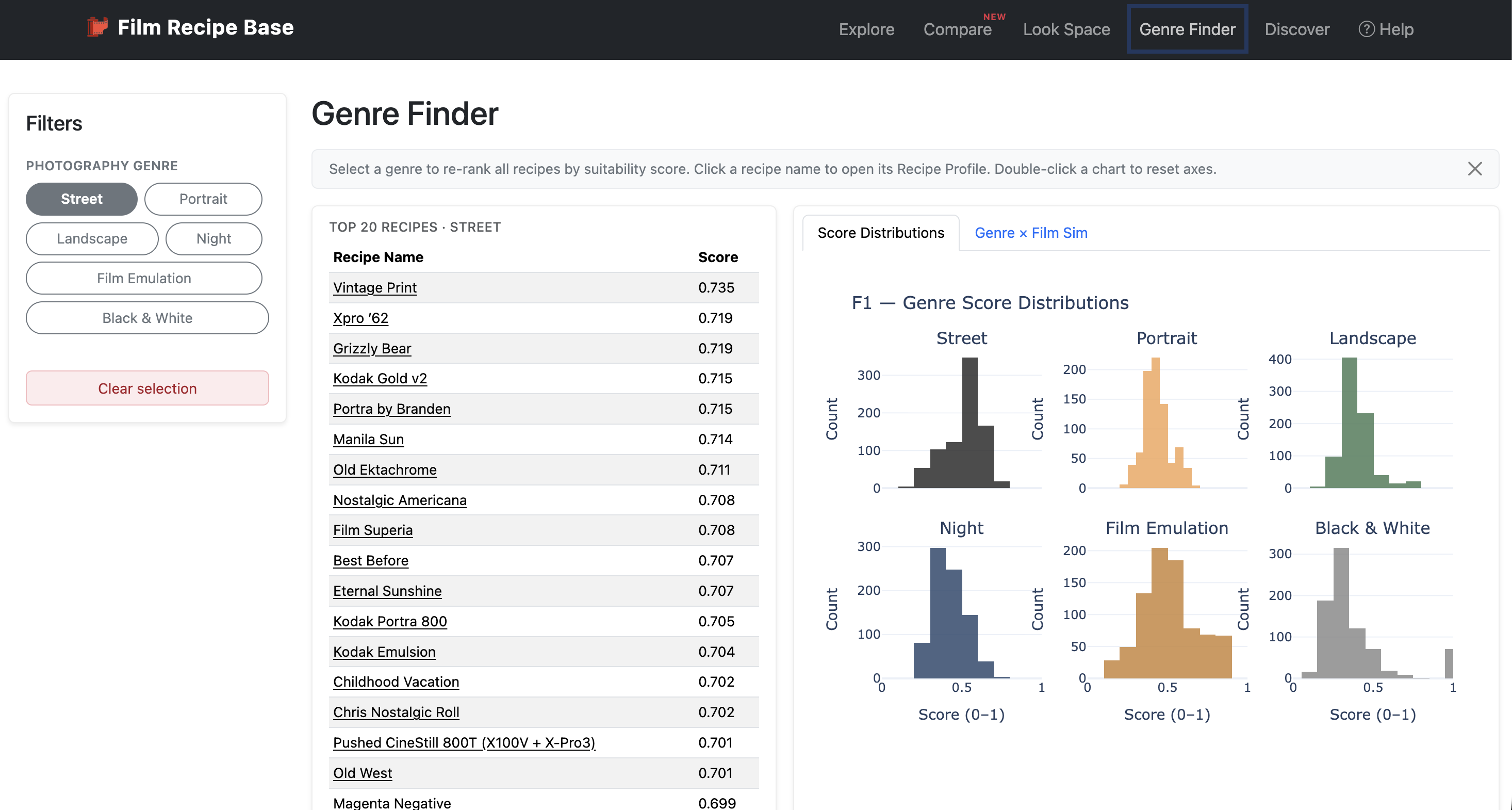
Genre Finder ranks every recipe in the database by how well it suits a specific photography genre: street, portrait, landscape, night, film emulation, or black and white. Choosing a genre instantly re-ranks recipes by their suitability score, backed by supporting charts showing score distributions and a genre-versus-film-simulation heatmap. This is the fastest way to find a Fujifilm recipe matched to what you actually shoot, rather than sifting through recipes designed for a completely different style.
Discover: Browse Film Recipe Clusters and Hidden Gems
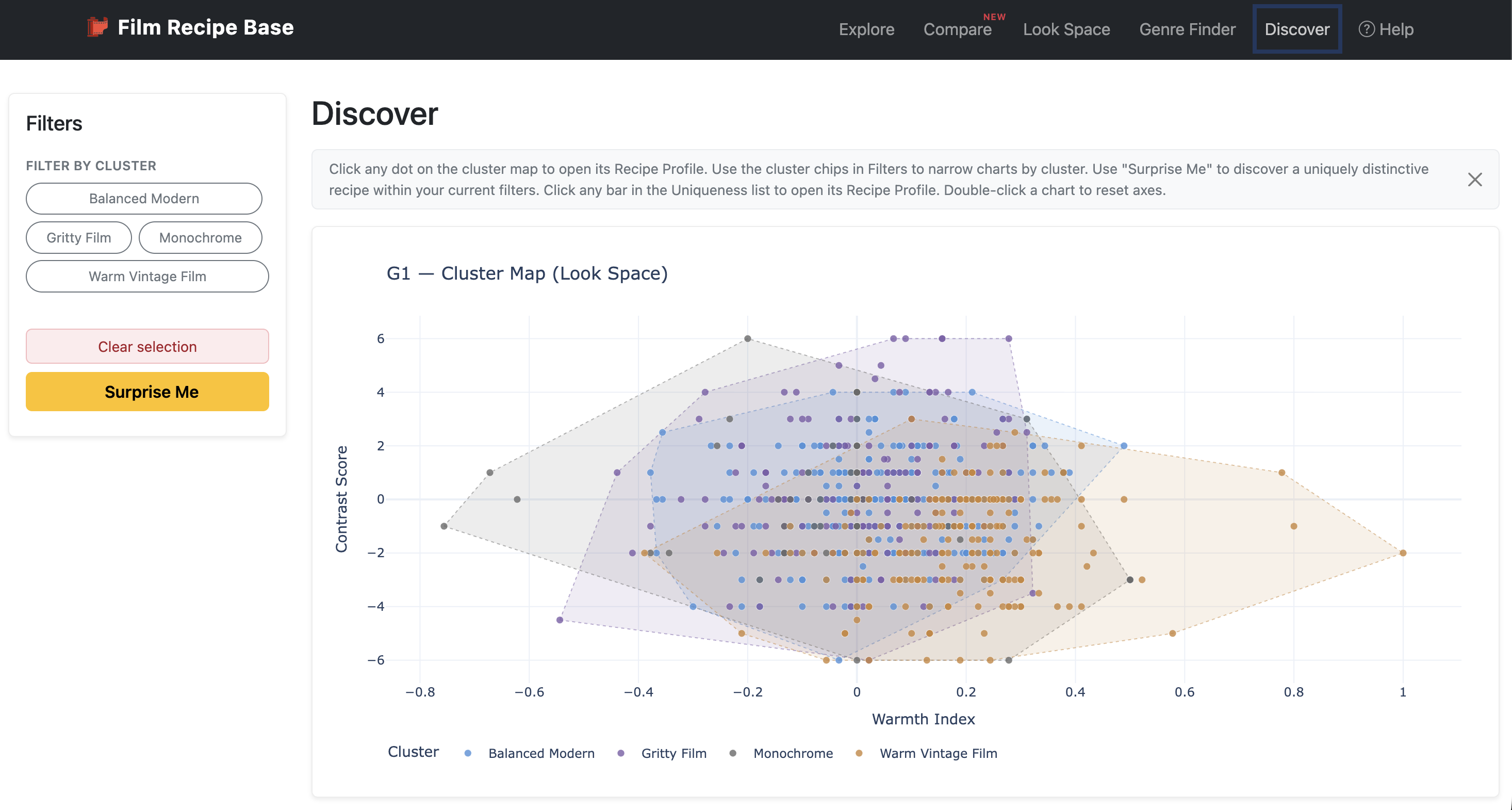
The Discover page groups recipes into look clusters, such as Warm Vintage Film, Gritty Film, Balanced Modern, and Monochrome, using the K-Means clustering described later in this article. You can filter by cluster, inspect what defines each group's characteristic look, and browse a uniqueness ranking that surfaces recipes sitting furthest from the crowd. The Surprise Me button picks a genuinely distinctive recipe within your current filters, making it easy to discover film simulation recipes you would never have stumbled across by browsing alone.
Recipe Profile: Full Camera Settings for Every Fujifilm Recipe
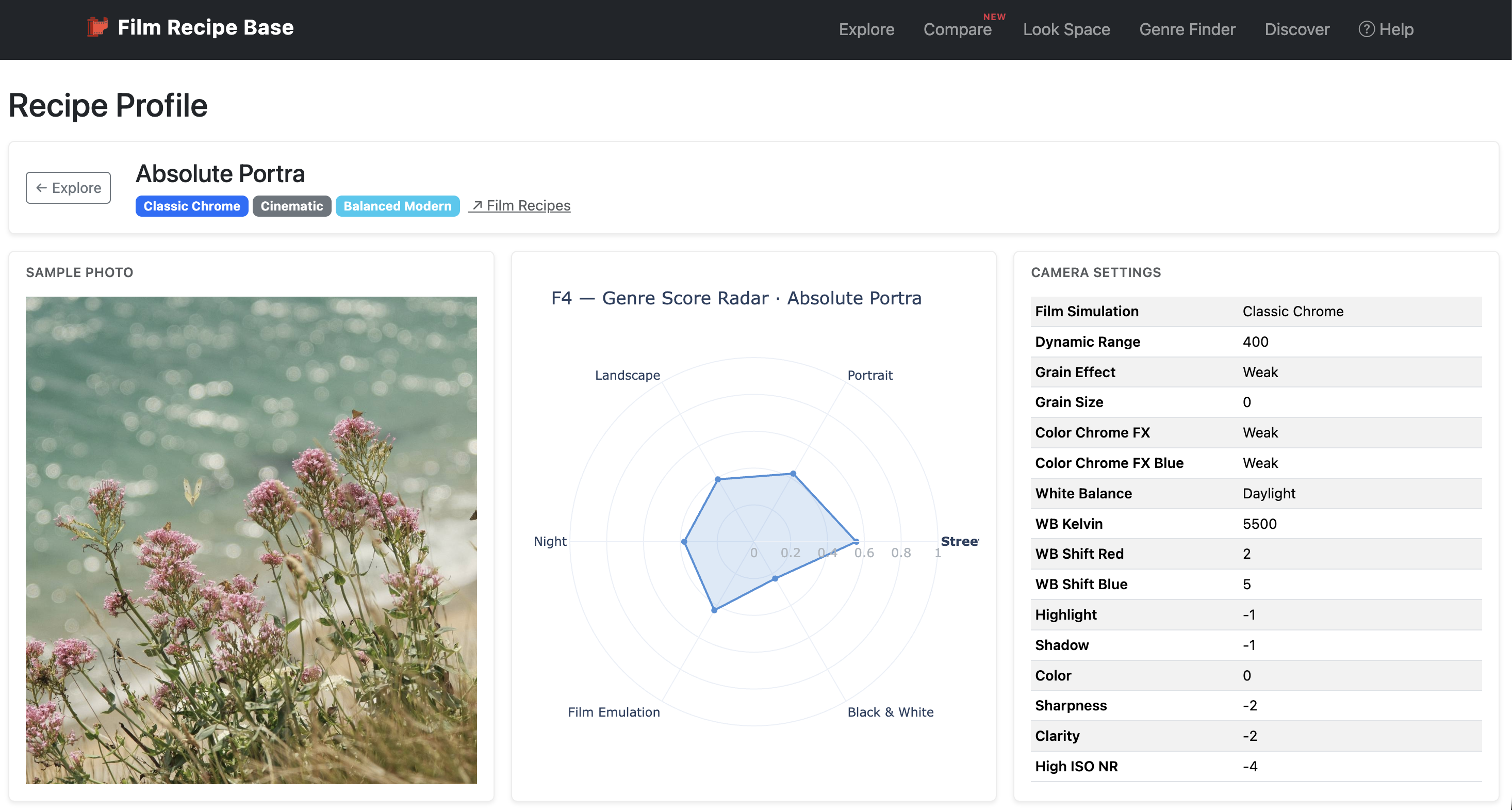
Recipe Profile is the detailed page for a single recipe, reached by clicking through from any other page in the app. It shows the recipe's film simulation, mood, and cluster badges, a genre-suitability radar chart, a complete camera settings table covering dynamic range, grain, white balance, tone dials, and sharpness, plus five nearest-neighbour "Similar Recipes" cards. Every profile links back to the original source, so credit always stays with the photographer who created the recipe.
Inspiration
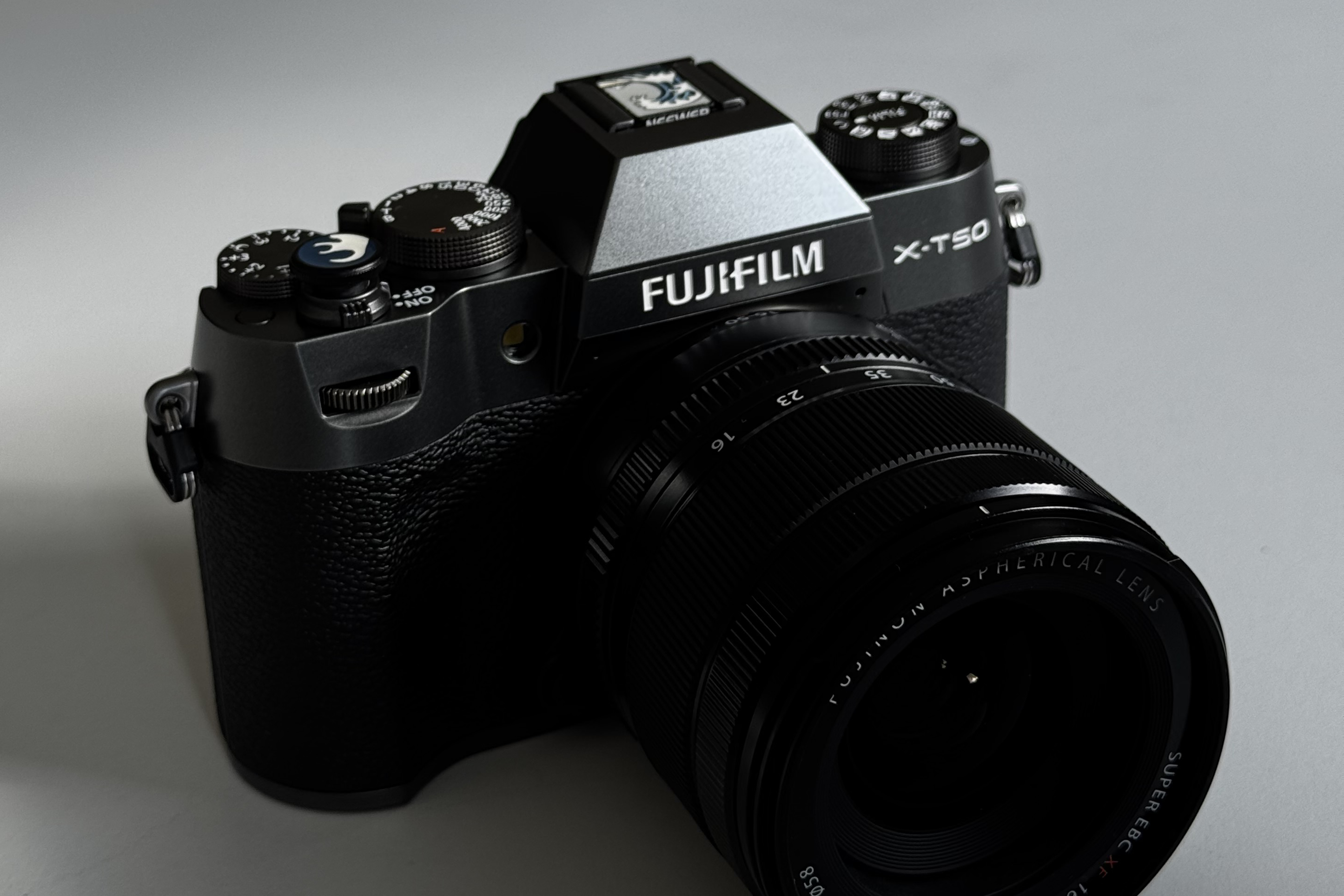
I analyse data as my day job and take photos with my Fujifilm X-T50 as my hobby (nowadays). Over the past year, I found myself doing the same thing every data person does when faced with messy information: try to tidy them up. I was comparing recipes, noting differences, and trying to understand which settings actually mattered for a given look.
At some point, this personal habit outgrew a spreadsheet. I decided to properly structure it as a project, both to solve my own problem and to give something back to a community that shares so openly.
Collecting the data
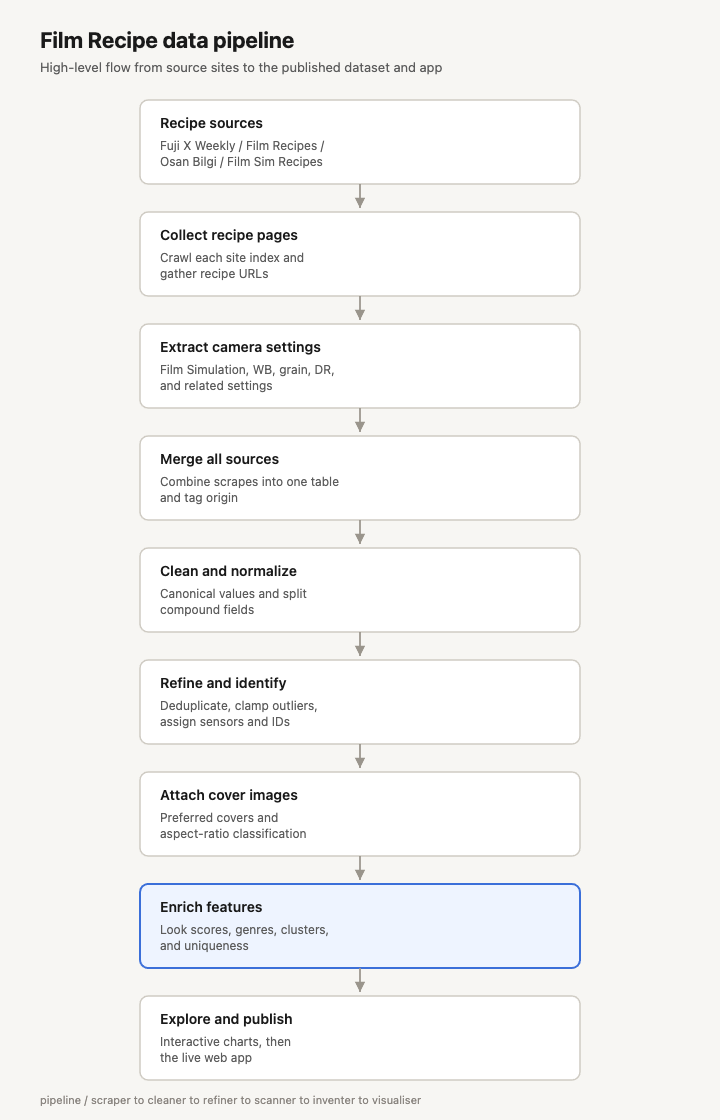
The first challenge was simply gathering the recipes. I built scrapers for four different recipe sources: platforms like Fuji X Weekly, Film Recipes, Film Sim Recipes and individual photographers like Osan Bilgi. Each source has its own page structure, so each one needed its own scraper to pull out settings such as film simulation, dynamic range, grain, white balance, highlight and shadow tone, colour, sharpness, and exposure compensation.
Once scraped, all four sources needed to be combined into a single dataset. This meant tagging each recipe with where it came from and aligning columns that did not always match up between sources, since not every site records the same settings.
Cleaning and refining the dataset
Anyone who has worked with real-world data knows that scraped data is messy. Settings are written in inconsistent formats, some values fall outside what a Fujifilm camera can actually do, and duplicate entries creep in.
To handle this, I built a cleaning stage that normalises raw text into consistent values, and splits combined fields into separate, usable columns. For example, a single "grain" description gets split into grain strength and grain size. A refining stage then removes duplicates, clips any out-of-range values back to Fujifilm's official limits, and works out which camera sensor generation each recipe needs, since not every recipe works on every Fujifilm body.
Feature engineering: turning settings into meaning
This is the part of the project I enjoyed the most. Raw camera settings on their own do not tell you much. A "+2 highlight, -1 shadow" combination means little unless you can translate it into something visual, like contrast or tone.
So I engineered around 60 new features from the raw settings. These include a contrast score, a warmth index that shows how cool or warm a recipe leans, a colour cast direction and strength, a grain category, and suitability scores for six photography genres: street, portrait, landscape, night, film emulation, and black and white. Each recipe also gets an overall aesthetic mood label, such as vivid and punchy, nostalgic, or cinematic.
Grouping recipes with K-Means clustering
Once these features are present, the next question was: do recipes naturally fall into groups? To answer this, I used K-Means clustering, an unsupervised machine learning method that groups similar data points together without being told the answer in advance.
Running K-Means on the derived scores produced four clear clusters: Warm Vintage Film, Gritty Film, Balanced Modern, and Monochrome. For each recipe, I also calculated a uniqueness score, which measures how far a recipe sits from the centre of its cluster. This powers a "Surprise Me" feature in the app that surfaces recipes that stand out from the crowd.
Visualising the data with Plotly
With a rich, feature-engineered dataset in hand, the next step was making sense of it visually. I built a series of Plotly charts covering distributions, look space scatter plots, tone and contrast breakdowns, colour and white balance patterns, grain and texture profiles, and genre suitability.
Each chart started life as a standalone notebook prototype before being ported into the final app, which made it much easier to test ideas quickly before committing to how they should behave inside a live, interactive interface.
From notebooks to a working web app
This is where the project stopped being a personal analysis and became genuine software development, something I had very little prior experience with. I built the app using Dash, a Python framework that lets you build interactive web apps without needing to learn JavaScript from scratch.
The final app has seven pages: Explore, for filtering and browsing the full dataset, Compare, for putting two recipes side by side, Look Space, for exploring recipes visually by feel rather than by name, Genre Finder, for ranking recipes by suitability for a specific photography style, Recipe Profile, for a deep dive into a single recipe, Discover, for browsing clusters and unique recipes, and Help, for documentation.
Getting filters, charts, and page navigation to talk to each other correctly was a genuinely new skill for me. I had to learn how to structure callbacks so that a filter chosen on one page updates the right charts without breaking everything else, which turned out to be one of the trickiest parts of the whole build.
Shipping it properly
Building the app was only half the job. Getting it live and keeping it live required employing software development tools such as Git for version control, Docker for packaging the app consistently, and Railway for deployment.
The workflow I settled on was Railway as a deployment SaaS. I commit and push my code to GitHub, Railway automatically detects the change, rebuilds a Docker image, and redeploys the app, with a health check making sure a broken build never replaces a working one. It is a small workflow, but it taught me a lot about how software actually reaches real users, rather than just running on my own machine.
What is next
Film Recipe Base is live now at filmrecipebase.com, and I am treating it as a beta as I gather feedback from the community. Two things are already on my list: adding sample photos to each recipe profile, and continuing to add more recipe sources over time. Longer term, I would also like to feature recipes directly from individual photographers, with proper credit given back to them.
If you shoot Fujifilm, I would genuinely love your feedback on what would make this more useful for you. And if you are more interested in the data and engineering side, I hope this gave a useful look at what it takes to turn a personal dataset into something other people can actually use.