TL;DR
Using Xcode and Cursor, plus hundreds of YouTube videos, I developed a native iOS app called Flow with Swift and SwiftUI, designed to reduce your screen time by letting you block doom-scrolling apps (or any app stealing your time).
You can download Flow here or see the progress here.
Who should read this?
Anyone who wants to stop doom scrolling, AI enthusiasts, vibe coders, product managers, and UX designers.

Early stages
I have been tinkering with AI and vibe coding tools for some time now. One thing to clarify before going deeper into the term vibe coding: although it is advertised as the new way of software development, it is not a sustainable way of building products unless you know at least the fundamentals of software development. This will be explained in more detail later in the story.
When I first came up with an app idea myself, with no validation at the beginning, I started designing a gig tracker prototype for DJs and music professionals using Bubble. It did not take long for me to understand that a drag-and-drop approach would not work, so I started exploring alternatives. Cursor was one of the most flexible options because it gives you full control over your codebase. Unlike end-user tools such as Lovable or Bolt, I would have the full freedom to modify project files, and therefore my code. I knew there would be a lot to figure out at the beginning while setting things up, but I felt confident about the long-term maintainability.
When it was time to decide on the programming language, I did not have any background in any of them (Swift, Flutter, etc.), so I did a quick research and feasibility study to compare and contrast them. I ended up choosing Swift because it is Apple’s own language for developing iOS and macOS apps, and the developer support and community are unrivaled. Although I would only be shipping apps to the App Store and iOS devices, we decided that this was an acceptable trade-off between convenience/performance and reach, given that most paying end users are using iOS rather than Android.
A new partner
Although the development was going well, my efforts on building the DJ gig tracker came to an end after doing a few validation rounds with friends from the community and on Reddit. The main focus and the value proposition of maintaining a healthy lifestyle did not get the traction I wanted. This is when I started having conversations with my brother, Utku, about alternative ideas and the advantages of combining our skill sets. As his profession is social media and creative strategy, he had a strong hand in marketing and distribution.
He had been using some social media blocker apps and was not really happy with any of them, so he suggested that I develop a social media blocker app that reduces mindless scrolling while he handles the marketing. We did a quick competitor analysis, created a high-level product roadmap, and defined what our app should do differently to stand out in the market. While I conducted a technical viability study (can we build it?), Utku started to validate the idea through his social media channels. Around the same time that I became confident I could build the app with my technical skill set, he managed to get more than 100 people on our waitlist in just a week.
The dark side of vibe coding
As briefly mentioned, vibe coding is currently a hype that causes people to think they can build an app in a day with a few prompts and reach 20K USD MRR overnight. While this may be true in a very small number of cases (success stories you watch on YouTube), it is not the reality for most people. You can still spin up a simple app with no scaling concerns and ship it; however, to be able to develop, distribute, and continuously improve an app, several things are required.
You have to:
- Be confident using IDEs and MCP servers.
- Know the fundamentals of software engineering.
- Familiarise yourself with libraries, frameworks, and third-party SDKs.
- Understand UX/UI and design best practices.
- Start training yourself in product management concepts.
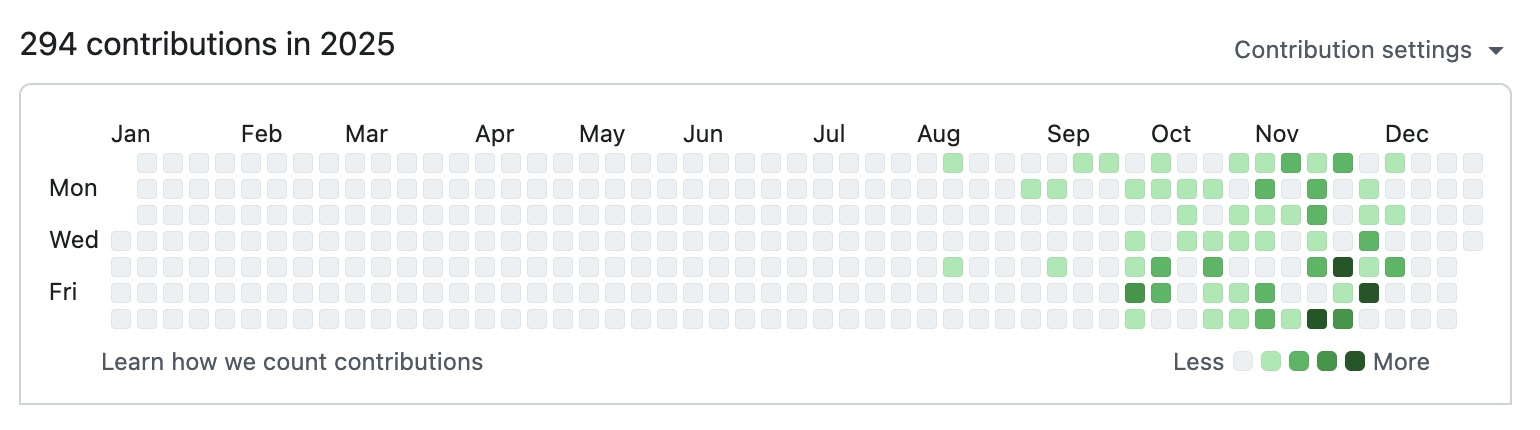
These are all things I worked on, by optimising my time between learning and development. I watched hours (if not days) of YouTube videos to figure out how things work in iOS development, and to learn which third-party SDKs are best for database design, payment integration, and in-app analytics. I read hundreds of pages from the Apple Developer Documentation and Human Interface Guidelines. Although all this learning led to a certain level of confidence in some aspects of development, I realised that I was going down an endless pit as I learned more. This is when I started not only vibe coding but also turning Cursor’s AI agent into a teacher by asking questions, rather than just prompting it to build things.
What’s been hard
Although this will not go into the full details of the development phase, it is worth mentioning Apple’s infamous Family Controls framework and various sub-frameworks such as Shield Extension, Shield Configuration, and Device Activity. This is the framework you use to block (or “shield” in Apple’s terminology) apps on your iPhone, and from start to finish, using it in your app is a struggle. We had to do endless testing to work around all the restrictions of this framework, and we also had to fill in request forms and send them to Apple, asking for approval to use the framework and explaining why our app needed it. There was even a point where we had to make a go/no-go decision when we faced an issue that I could not solve in the code because of the restrictions of these frameworks. Fortunately, it was eventually resolved through thorough testing and a complete understanding of the developer documentation.
When you do not know what you do not know, you can spend hours fixing a very simple issue that could actually be solved with an easy fix or alternative. This is where the five requirements of vibe coding mentioned above become important. If you are a seasoned software developer, you can speed up your workflow by using AI because you know what to ask the AI agent to do. Even the most basic terminology in software development or UI design makes a difference.
For example, instead of saying:
The data in the home screen should be the same after users close their app and open it again.
you can say:
The data on the home screen should persist after a force quit.
This is just one example, but when you have to write thousands of prompts, this kind of clarity and efficiency matters a lot.
If you are doing this just to play with different tools and ship an app for fun, go for the end-user tools mentioned above (Lovable, Bolt, etc.). However, if you have even the slightest intention of making money from app development, you have to meet the requirements outlined above. At least at the time of writing this (December 2025), end-user tools are not there yet. With the pace of change seen in the last 2–3 years, they will almost certainly be much more capable in a few years.
Tips for vibe coders
Here is a small contribution for anyone who wants to ship an app using AI tools.
-
Understand the tools you work with and what they offer. AI is a very fast-moving industry, and you fall behind on any day you do not learn something new about features and models.
-
Prepare implementation plans. Do not ask an AI agent to just build things in sequence. If you are building your app from scratch or adding a new substantial feature, describe it as thoroughly as possible and ask for an implementation plan.
-
Ask first, implement later. Cursor has a feature called Commands for repeating instructions you use in your prompts; make full use of this (my daily driver commands are below).
-
/explainfix— use it when you want to solve a minor issue in the code.Why is this issue happening? How can we fix it? Does fixing it cause any function loss in the app? Just answer. List the files (just names) that will be modified / created. Do not start implementation. After implementation, do not create additional files for details. -
/explainfeature— use it when you want to implement a small- to medium-scale feature.How can we implement it? Does implementation cause any function loss in the app? Just answer. List the files (just names) that will be modified / created. Do not start implementation. After implementation, do not create additional files for details.
-
-
Use context windows wisely. Reserve each chat window for implementing a single feature or working on a single implementation plan. Try to complete whatever you are doing in that chat before you are out of the context. Check Cursor's Models page for mor info on context window limites and pricing.
-
Use version control. GitHub can be intimidating even for technical people, but you have to know the basics. Reserve a chat for version control and ask AI to manage it for you, rather than going into the command line and trying to remember all the Git commands.
-
Do not be afraid to start from scratch. Setting things up correctly the first time is much easier than trying to fix an issue after having built half of the app. When you realise it is taking too long to fix something and you have not completed more than half the development, start from scratch by clearly defining the issue and implementing a solution that addresses it from the beginning.
-
Prioritise third-party SDK providers with MCP servers. MCP servers are tools that let Cursor’s agent interact with those SDKs. The alternative is that you need to go to the provider’s platform and configure everything yourself, which mostly requires you to read the technical documentation of tool.
What could have been better?
Design
We did not design any prototype before starting development because we wanted to move fast (and the time to ship an MVP was three months). I basically described the look and feel of the interface and let Cursor handle the rest. Changing the entire design and style of an app is much harder later in the process or at the end of development than doing it upfront and feeding AI with your already designed pages. Not having a consistent design system for the app also slowed down development because I had to think about design aspects while building the app.
As anyone who has designed something visual knows, making decisions without a clear direction or vision in mind is an infinite wormhole. You can easily find yourself making design decisions instead of implementing features and fixing bugs; which are essentially very different mindsets when you sit down and start coding. You want to get as many things done as possible when you are implementing features; however, you need time to properly think and let yourself be creative when you are making design decisions. That is why our next app ideation will start in Figma, not Cursor.
(Ironically) data model
Because I was not aware of it (a dark side of vibe coding), I did not use Apple’s recommended framework, SwiftData, for data storage and management inside the app. Although the framework I used (UserDefaults) is a legacy way of managing app data and supports persistence, it is not as efficient as SwiftData in terms of performance. Fortunately, the app’s main functionality does not depend heavily on data storage or complex logic on stored data, so we have simply added a SwiftData migration to the roadmap.
Idea validation
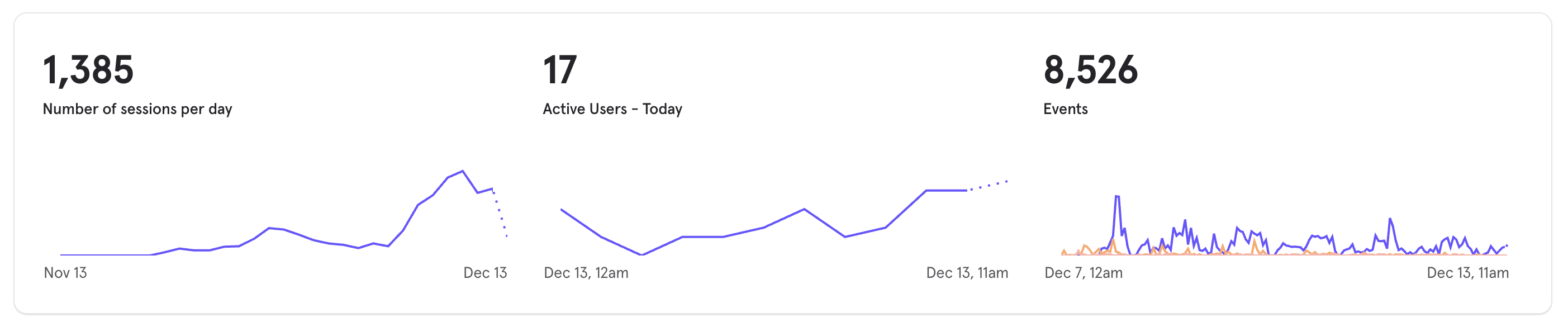
Although Utku’s marketing strategy is working well and we reached 193 active users in less than a week, there are still things to improve and lessons to apply to our next project.
- Finding a pain point that users are willing to pay for. Although mindful social media usage is trending, it is still a fairly niche need. We assumed that our existing freemium model had a good enough separation between free and pro plans.
- Talking to our users. We managed to create demand using an email list, so we assumed that people who joined the waitlist needed the app. This is true to some extent; however, we never ran user interviews to understand what our opportunity space really is.
- Testing our assumptions. We built the essential features (and a few extras) that we thought would be useful for our users, but not much more. We never fully explored our solution space based on a clearly defined opportunity space.
The concepts of opportunity space and solution space are part of a framework called the Opportunity Solution Tree, developed by Teresa Torres, the author of Continuous Discovery Habits. The book is intended for seasoned product teams (product manager, developer, designer trio); however, there is definitely value in it for anyone who does hands-on design or development work (even for data analysts designing reports and dashboards).
Creativity and requirements should not be sourced only from your users or customers; there is also a strong argument for drawing on product vision and your own insights, which leaders like Steve Jobs often emphasised.
Some people say, “Give the customers what they want.” But that’s not my approach. Our job is to figure out what they’re going to want before they do. I think Henry Ford once said, “If I’d asked customers what they wanted, they would have told me, ‘A faster horse!’” People don’t know what they want until you show it to them. That’s why I never rely on market research. Our task is to read things that are not yet on the page.
Steve Jobs
The payoff
There is still a lot to do in our product roadmap, and the app is still nowhere near being complete. Teresa Torres also highlights that product work is never really finished, which aligns closely with how this project feels at the moment. But there are also things to celebrate after three months of hard work.
Discovery isn’t a one-time activity. A digital product is never done.
Teresa Torres
We:
- Learned how to work together not only as brothers but also as business partners.
- Envisioned, designed, and developed a full-stack iOS app.
- Grew to more than 10K followers on Instagram.
- Got approval from Apple on the first App Store submission.
- Onboarded almost 200 people into the app in a week.
We are obviously not making a huge amount of money yet. We are aware of the things we need to do to make this a profitable project, and we are constantly learning and researching the things we may not be aware of, which will likely make the biggest impact.
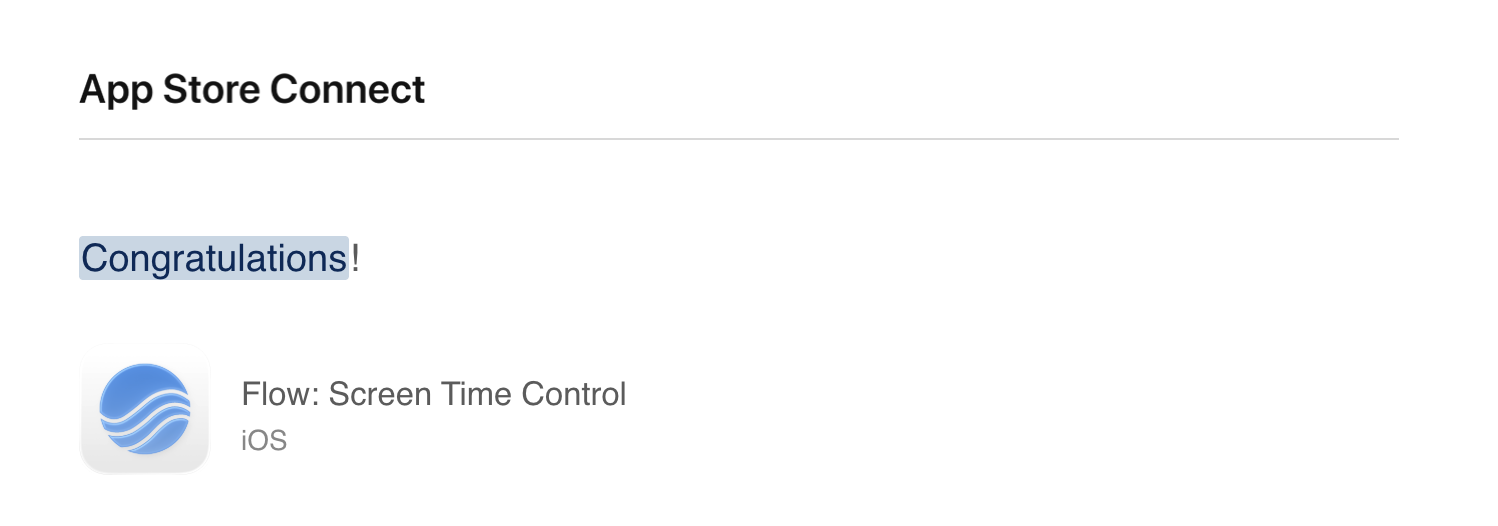
As our first app development project, we consider it a success so far and an opportunity for future improvements and the next projects. If you are interested in the journey follow me in X @emrecancode


.jpg&w=3840&q=75)